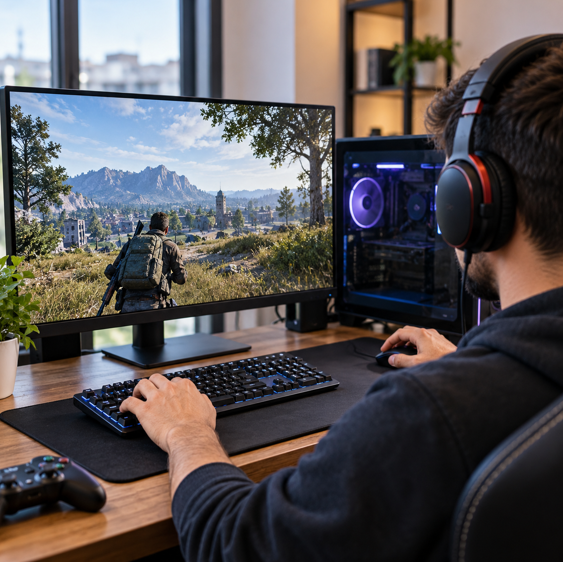

A smooth gaming experience depends on more than having an expensive graphics card or a powerful processor. Even a well-built gaming PC can experience stuttering, inconsistent frame rates, delayed responses, or unexpected performance issues. These problems can come from several sources, including outdated drivers, unsuitable graphics settings, hardware limitations, and input delays.
For gamers who want to get more from their existing systems, understanding these factors is an important first step. Instead of immediately replacing computer components, it is often worth checking how the current hardware is performing and whether the software environment is properly maintained.
Three areas deserve particular attention: keeping device drivers updated, understanding frame rates, and measuring reaction speed. Together, they offer a practical way to evaluate different parts of the gaming experience.
1. Why Driver Maintenance Matters for Gaming
Device drivers allow the operating system to communicate with hardware components. Graphics cards, sound devices, network adapters, and other peripherals depend on appropriate drivers to function correctly.
Graphics drivers are particularly important for PC gaming. Manufacturers regularly release updates that can improve compatibility with newer games, address known issues, and introduce optimizations for supported hardware. An outdated or problematic driver may contribute to visual glitches, instability, or unexpected performance behavior.
However, installing every available update without checking compatibility is not always the best approach. Users should consider the hardware model, operating system, driver source, and release information before making changes.
A sensible maintenance routine includes:
- Checking graphics card and other important device drivers periodically.
- Downloading updates from official manufacturers or trusted sources.
- Reviewing release notes to understand what an update changes.
- Creating a restore point or backup when appropriate.
- Restarting the computer when an installation requires it.
For users who prefer a more centralized approach, tools that help update drivers can make it easier to identify outdated or missing device drivers. IObit Driver Booster, for example, is designed to scan Windows systems for driver updates and assist with their installation.
Driver maintenance should be treated as one part of PC care rather than a guaranteed way to increase frame rates. If a game is limited by an older graphics card or insufficient memory, updating a driver will not replace the need for suitable hardware.
See also: Eco-Friendly End-of-Life Options Explained
2. Understanding FPS and Why It Affects Gameplay
FPS stands for frames per second. It describes how many individual images a computer displays each second while rendering a game.
A higher frame rate can make movement appear smoother, particularly in fast-paced games where players need to follow moving objects or respond to changing situations. A lower or inconsistent frame rate can make gameplay feel less responsive or visually uneven.
For example, a game running at 30 FPS displays fewer frames each second than one running at 60 FPS. A system capable of maintaining a higher frame rate may provide a smoother experience, provided the display can support it.
Still, higher FPS is not the only measure of performance. A stable frame rate can sometimes feel better than a higher number that frequently drops during demanding scenes.
Several factors influence gaming FPS:
Graphics card: The GPU handles much of the visual rendering workload. Higher resolutions, detailed textures, lighting effects, and demanding visual settings can increase its workload.
Processor: The CPU manages game logic, calculations, artificial intelligence, and other tasks. Some games depend heavily on processor performance, especially when many objects or characters are active.
RAM: Insufficient memory can contribute to performance problems when a game and background applications compete for available resources.
Storage: Slow storage can affect loading times and may contribute to interruptions when game data needs to be accessed.
Temperature: Excessive heat can cause a processor or graphics card to reduce its operating speed to protect itself.
Understanding these factors makes it easier to investigate performance issues instead of changing random settings.
3. Use an FPS Calculator Before Upgrading Hardware
One common mistake among PC gamers is assuming that a particular graphics card or processor will deliver the same performance in every game. Actual results depend on the combination of hardware, game requirements, resolution, and graphics settings.
An FPS calculator can help estimate how a computer may perform in a selected game. By entering hardware information such as the CPU and GPU and choosing relevant game settings, users can get an approximate idea of expected frame rates.
This can be useful in several situations.
First, someone planning to purchase a new game can compare its expected requirements with their existing PC. This helps establish whether the system is likely to provide a suitable experience before spending money.
Second, people considering a hardware upgrade can use an estimate to think about possible limitations. If the processor and graphics card are not well balanced, replacing only one component may not deliver the improvement they expect.
Third, an FPS estimate can help users understand the relationship between resolution and performance. A system may handle a game comfortably at 1080p but struggle when the resolution is increased to 1440p or 4K.
It is important to remember that an online calculator provides an estimate, not a guaranteed benchmark result. Actual performance can differ because of driver versions, cooling conditions, background applications, game updates, and individual system configurations.
For the most reliable picture, compare estimates with real gameplay testing and performance information from your own PC.
4. Reaction Time Is Another Part of Gaming Performance
Gaming performance is not determined entirely by computer hardware. The person using the system also plays an important role.
In competitive games, players often need to recognize an event and respond quickly. This could involve noticing an opponent, reacting to a visual change, or making a decision during a fast-moving situation.
Reaction time describes the interval between receiving a stimulus and responding to it. It is influenced by several factors, including attention, familiarity with a task, fatigue, and the type of stimulus.
An online reaction time test offers a simple way to measure responses to a visual signal. In a typical test, the user waits for a screen to change color and clicks as quickly as possible. The result is displayed in milliseconds.
Taking several attempts can provide a more useful personal reference than relying on a single result. It can also help users notice how their results vary under different conditions.
However, online tests should not be treated as a complete measure of gaming ability. A simple visual test does not reproduce the complexity of an actual game, where players must understand the situation, choose an appropriate response, and coordinate multiple actions.
Reaction speed is only one part of performance. Decision-making, communication, positioning, game knowledge, and consistent practice matter too.
5. How Hardware and Reaction Time Work Together
A player may have quick reactions but still experience frustrating gameplay if the computer cannot display frames consistently. Similarly, a powerful PC does not automatically make someone a better player.
This is why it is useful to understand the difference between system responsiveness and human response speed.
System responsiveness involves the time it takes for the computer, display, mouse, and other equipment to register and present an action. Hardware performance, frame rates, display refresh rates, and input latency can all influence how responsive a game feels.
Human reaction time concerns how quickly a person notices a stimulus and responds to it.
These two elements interact. For example, a player may respond quickly to something appearing on screen, but a delayed display or input device can affect how that response translates into the game.
A balanced gaming setup should therefore consider both technical performance and the player’s experience.
6. A Practical Routine for Better PC Gaming
Improving gaming performance does not always require purchasing new equipment. A few consistent maintenance and testing habits can help users understand their systems better.
Keep important drivers maintained. Check graphics and other device drivers periodically. Use official sources and review compatibility information before installing updates.
Check performance before changing hardware. Use system specifications and FPS estimates to understand whether a component may be limiting performance.
Adjust graphics settings gradually. If a game struggles, experiment with demanding settings such as shadows, resolution, and visual effects. Change one or two settings at a time so that the impact is easier to identify.
Monitor temperatures. Make sure the computer has adequate airflow and that cooling components are functioning properly. Heat-related performance reductions can be difficult to diagnose without monitoring.
Limit unnecessary background activity. Applications running during gameplay can consume processor time, memory, and network resources. Close programs that are not needed.
Evaluate responsiveness consistently. A reaction time test can provide a personal reference, while in-game performance counters can help reveal frame-rate fluctuations. Avoid drawing conclusions from one short test.
Maintain realistic expectations. Software maintenance can improve compatibility and help identify problems, but it cannot overcome every hardware limitation. Sometimes a component upgrade is the appropriate long-term solution.
7. Make Better Gaming Decisions With Useful Information
Building a better gaming experience starts with understanding what is happening inside the system. Instead of assuming that every performance issue requires a new graphics card, users can examine drivers, hardware balance, frame rates, and system conditions.
Driver maintenance helps keep essential hardware software current. FPS estimates offer a way to think about how a system may handle particular games and settings. Reaction-time testing provides a separate look at personal response speed.
None of these checks tells the entire story on its own. Their value comes from using them together and understanding what each one can—and cannot—measure.
A well-maintained PC, suitable hardware settings, and a clear understanding of system performance can make gaming more predictable and enjoyable. With a little regular attention, gamers can make more informed decisions, avoid unnecessary upgrades, and get better use from the equipment they already own.